
Chippewa County 24 Hour Booking Guide
Chippewa County 24 Hour Booking searches are easier than many counties because the jail roster is online and updates in real time. That makes the custody side fast to check, but it does not replace the sheriff office or the clerk when you need the rest of the record trail. The county works best when you begin with current jail status and then follow the record into court only if needed. That keeps the search short, keeps the office choice clear, and makes it easier to tell whether the person is still in custody or has already moved into the public case file.
Chippewa County 24 Hour Booking Search
The sheriff page at co.chippewa.wi.us/sheriff is the official county entry point for Chippewa County 24 Hour Booking questions. The county also gives a direct email path at info@sheriff.chippewa.wi.us and a phone line at (715) 726-7701, so the request can move by email, phone, or walk-in depending on how much detail you already have. Because the jail roster is real-time, it is the fastest way to see whether the person is still in custody right now. That live update gives Chippewa County a clearer current answer than counties that refresh only a few times a day.
The jail address at 32 E Spruce St, Chippewa Falls, WI 54729 is central to the search because it is the custody address that matches the roster. If the booking is recent, the roster gives you the first public view of the person’s location. If the booking has changed or the person is no longer listed, the sheriff office can still confirm whether the matter moved to a release, transfer, or court hold. The important thing is to use the real-time roster as the current view, not as the whole history.
Once the booking turns into a court matter, WCCA takes over the public summary side. The statewide portal at wcca.wicourts.gov shows the case summary that helps connect the jail event to the public docket. That is the clean next step when the current-custody question is solved but you still need to know what filed in court. For Chippewa County, the search order is simple: roster first, sheriff second, WCCA third.
Chippewa County Jail Records
The Chippewa County jail roster is the strongest current-custody tool on this page because it updates in real time. That means it can answer a booking question faster than a delayed list, especially when the arrest is fresh or the person may have been moved within the last hour. The jail line at (715) 738-1230 remains useful when you want a direct confirmation from staff instead of relying only on the web view. In a county with a live roster, the web result and the phone result should line up closely, which makes the search easier to trust.
When you contact the jail, keep the question focused on the current status. Ask whether the person is in custody, whether the booking is still active, and whether the roster result reflects the current hold. If you already have the full name, date of birth, or approximate booking time, have it ready before you call. That avoids confusion with people who share a name and helps the jail staff locate the correct entry faster. A live roster is only useful if the search terms are accurate, so the small details matter.
Chippewa County also makes the custody trail easier because the sheriff contact sits on the same county system. If the roster is not enough, the sheriff office at co.chippewa.wi.us/sheriff is the natural next step, not an outside directory. That keeps the record path official and direct. The county’s real-time setup is a major advantage for people who want the current status first and the broader court record second.
The Wisconsin Circuit Court Access portal at wcca.wicourts.gov is the state fallback for this Chippewa County 24 Hour Booking page.
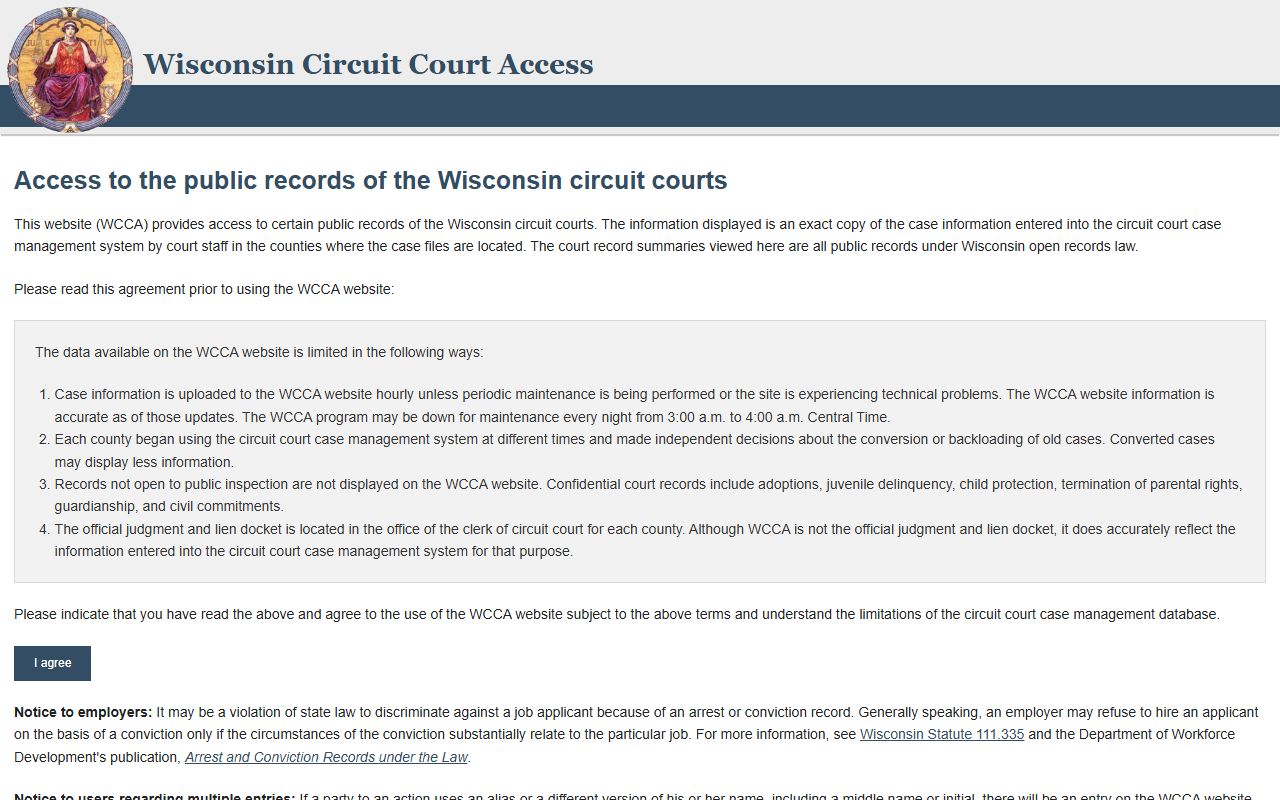
It fits the point where a live jail entry becomes a public court search and you need the docket view instead of the custody roster.
Chippewa County Court Records
The clerk of court at (715) 726-7970 is the next office to use when a Chippewa County 24 Hour Booking search becomes a case file request. The county procedure notes say you can use an online form, email, phone, or in-person contact at the county address. That flexibility is helpful because many booking questions start as simple custody checks but end as requests for the actual court file, a hearing date, or a copy of the docket. The clerk office is where the public file lives once the case has moved beyond the jail side.
WCCA helps you identify the file before you call. If you already know the party name, case number, or approximate filing date, the statewide docket summary can narrow the request quickly. If you do not know the case number, the name and date range usually work well enough for a first search. That matters because the clerk office can move faster when the request points to the right matter. The court summary and the clerk file are related, but they are not identical, and that distinction saves time when you need a copy.
The Wisconsin Court System case search page at wicourts.gov/casesearch.htm is also helpful when you want the broader court navigation page before jumping into WCCA. For Chippewa County, the practical order is straightforward. Use the jail roster for custody, the sheriff office for official questions, WCCA for the public case summary, and the clerk for records or copies. Each office handles a different stage of the same trail.
Chippewa County Access Rules
Chippewa County 24 Hour Booking access follows Wisconsin’s public records law at Wis. Stat. ch. 19. That law gives the public a broad right to inspect records unless a specific exception applies. It is why the county can provide jail, sheriff, and court records through official channels instead of treating them as private information by default. The law does not make every record open, but it does set the starting point for a public request.
The sheriff’s role in county jail operations is tied to Wis. Stat. § 59.27. That is the legal reason the custody side belongs with the sheriff office and the paper file belongs with the clerk. In a Chippewa County search, that split is practical as well as legal. Use the sheriff for the live jail question. Use the clerk for the court file. Use WCCA to see the public docket that connects the two. The offices work together, but they do not do the same job.
State tools fill in the gaps if the person has left county custody. The Wisconsin DOC Offender Locator at appsdoc.wi.gov/lop/welcome becomes useful when the person moves into state custody, and VINE helps with custody notifications. The Wisconsin State Law Library guide at wilawlibrary.gov/topics/justice/crimlaw/prisons.php and the Wisconsin Sheriffs Association at wsdsa.org are useful official references when you want a broader map of jail and prison resources in Wisconsin.
Chippewa County Follow Up
The best Chippewa County 24 Hour Booking follow up depends on which stage of the record you are in. If the person is still in jail, stay with the roster and the jail phone line. If the booking is new but the roster is unclear, call the sheriff office or use info@sheriff.chippewa.wi.us for a direct county response. If the matter is already in court, move to the clerk and WCCA. That sequence keeps the search aligned with the office that actually controls the record at each point.
The county address at 32 E Spruce St, Chippewa Falls, WI 54729 supports both the custody side and the records request side, so in-person follow up is straightforward if you need it. The county’s online form, email, phone, and walk-in options make the request process flexible without making it vague. That is useful when you need a quick confirmation first and a copy later. A small, accurate request is usually more effective than a broad one that asks one office to do too much.
If the booking has already moved beyond county custody, use DOC and VINE. If the case has already been filed, use WCCA and the clerk. Chippewa County gives you the pieces in a sensible order, which is why the search stays manageable even when the original booking happened quickly. The real-time roster does most of the early work, and the court tools handle the rest.